Desktop application / Media conversion / Transcription
Your recordings.
Ready for the next step.
A desktop media application built to prepare video and audio recordings for interviews, meetings and other publishing work.
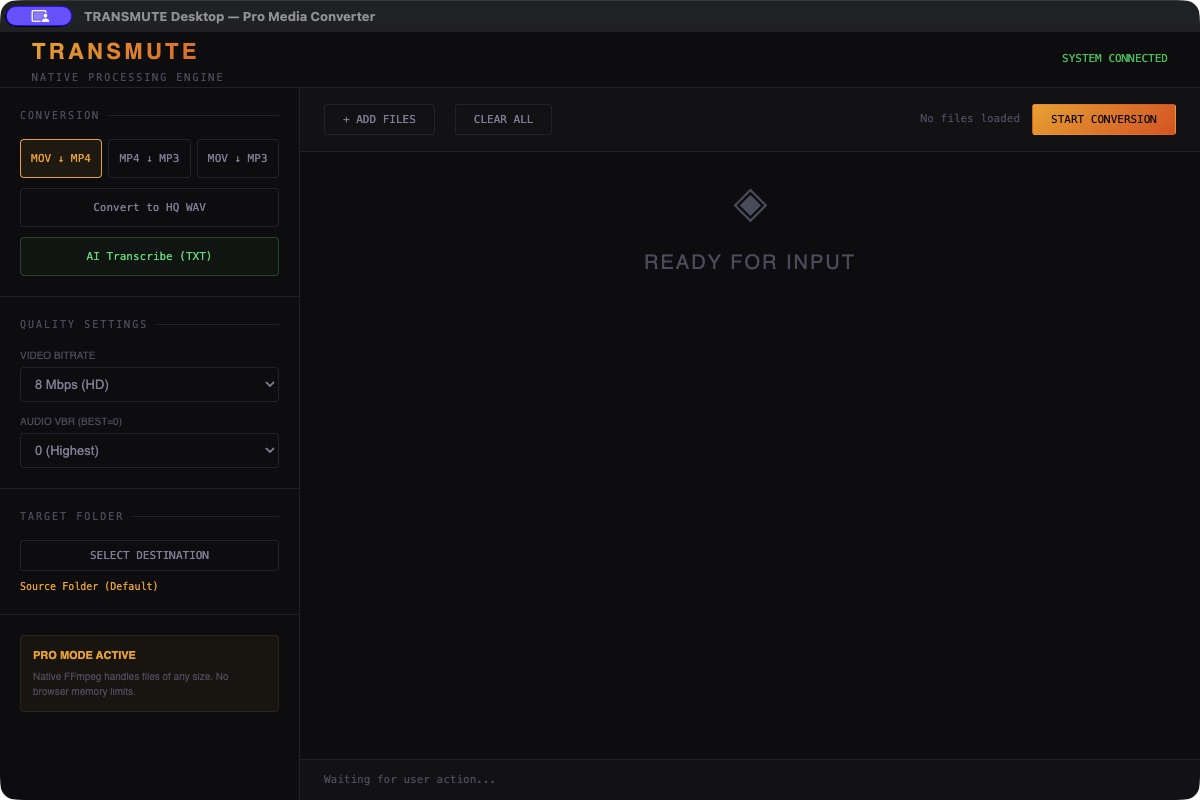
Transmute Desktop screenshot supplied by Toye Oremosu.
The starting point
Recordings often need a different format, a separate audio file or a transcript before the next task can begin. A useful desktop tool should make those choices visible and let the user prepare several files together.
What I built
I developed Transmute to convert video files and extract audio from recordings. Its interface brings file selection, conversion choices, audio and video settings, destination-folder selection and progress tracking into one desktop application.
Conversion and transcription
The application supports multiple files and adjustable output settings. The interface includes MOV to MP4, MP4 to MP3, MOV to MP3 and high-quality WAV options. Transcription is integrated, with optional speaker labels for interviews, meetings and other recorded media.
How the interface supports the work
The conversion choice, quality settings and target folder sit alongside the file queue and Start Conversion control. The screenshot shows the application waiting for files, with the available conversion and transcription actions visible.